

It's 6 pm at a busy railway station. Everyone is one their phone. Reels, video calls, maps, WhatsApp. This is exactly where Wi-Fi offload earns its keep.
Meanwhile, The nearest tower is struggling. Speeds drop. Your NOC starts getting alerts, and your customer care team gets the calls soon after.
The obvious fix is a new tower or more capacity. It works, but it's slow and it costs a lot. So before you go that route, there's an easier thing to try first.
Wi-Fi offload means moving some of your users' data from the mobile network to Wi-Fi. That's all it is.
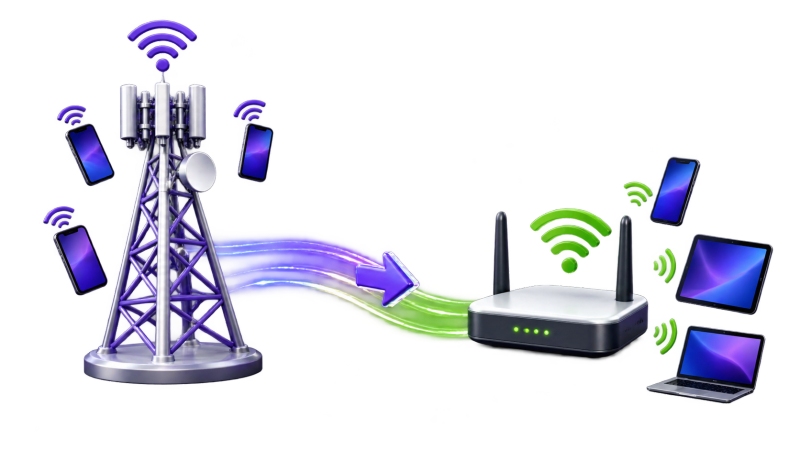
Your mobile network runs on licensed spectrum. You paid heavily for it, and there's only so much of it. Wi-Fi, on the other hand, runs on free, unlicensed spectrum.
So when a user's video moves to Wi-Fi, your tower gets room to breathe. You didn't buy any new spectrum to get it.
Because of crowds. Not everywhere, just in certain places. Malls, railway stations, stadiums, colleges, airports.
As a result, a few cells end up carrying most of the load. Upgrading them costs money. Besides, inside a building the mobile signal is often weak anyway, so you can spend and still hear complaints.
Meanwhile, the same building usually has Wi-Fi already.
The phone looks for a Wi-Fi network it can trust. If it finds one and your rules allow it, the data moves over. The user does very little. If you set it up well, they do nothing.
"Set it up well" is where most plans go wrong. Login is the problem. If people have to open a page and type a password or OTP, most won't bother. They stay on mobile data, and your tower stays busy.
The fix is SIM-based login. The phone uses the SIM card to prove who the user is. No password, no pop-up page. The technical name is EAP-SIM or EAP-AKA.
An older article from The Fast Mode (2013) said manual login kept offload below 10% of traffic. With automatic SIM login it reached 20-30%, and sometimes 50%. Those numbers are old, so take them as a direction, not a promise.
You will hear a few other terms too. Hotspot 2.0 (also called Passpoint) lets phones join partner Wi-Fi on their own. ANDSF carries your rules about which network a phone should prefer. IFOM and MPTCP let a phone use mobile data and Wi-Fi together.
You don't need all of these on day one. Start with SIM login.
Time first. A new tower project takes months. Adding Wi-Fi capacity in a busy spot is usually much faster.
Then speed. When the tower carries less, everyone still on it gets better data.
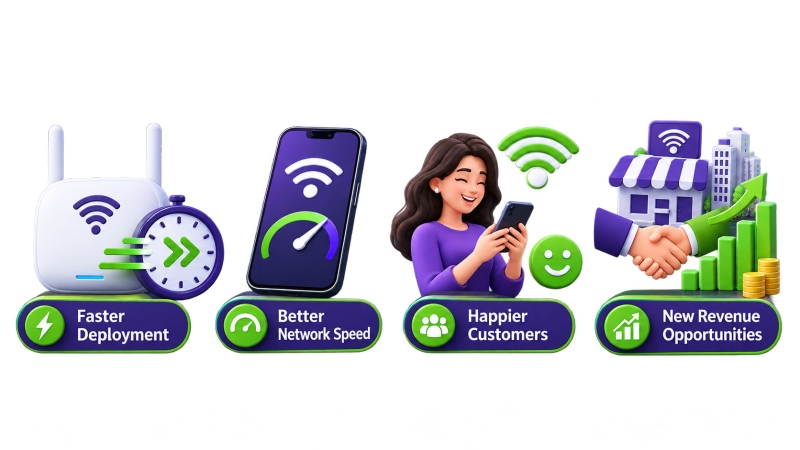
Then fewer angry customers. People remember a bad evening on your network. They remember a smooth one too.
And there's money. Once Wi-Fi sits inside your network, you can sell premium zones or tie up with malls and enterprises. Wi-Fi also uses less battery than mobile data, which users quietly like.
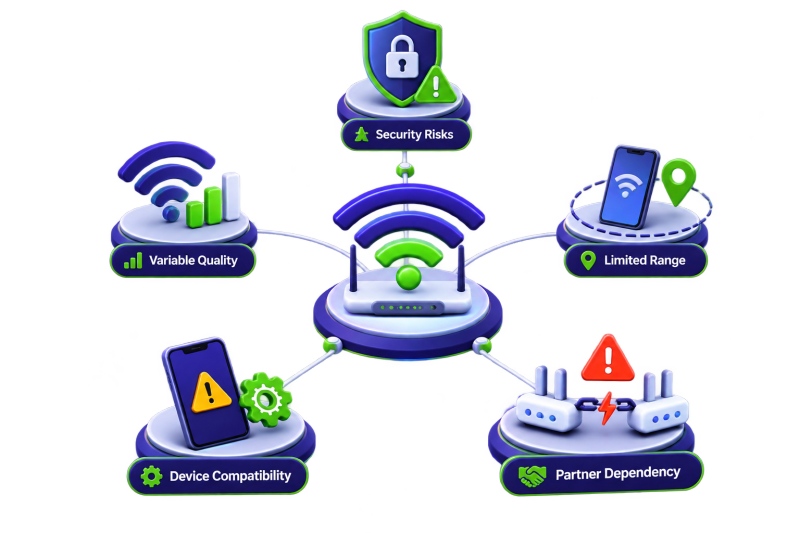
A few things, so let's be honest about them.
Public Wi-Fi easier to attack than mobile networks. Quality changes with crowd size and interference. Range is short, so the session breaks when the user walks away. Some older phones don't support the newer features. And if you use a partner's Wi-Fi, you don't control its uptime.
That last one hurts the most. When a user gets stuck on a dead hotspot, they don't blame the mall. They blame you.
Offload isn't only about access points. Every Wi-Fi session still has to be checked, matched to a plan, measured and billed. That work sits with your RADIUS/AAA server and your billing system.
Skip this and the traffic moves, but you can't see it. For one, you don't know how much data shifted. Nor can you charge for premium zones. Worse, you can't tell which hotspots keep failing.
That's revenue leakage, and it stays hidden until someone asks why the numbers don't match.
Offload works only when access, authentication, usage tracking and billing operate together. H8 Carrier Wi-Fi is designed for this. It covers both Wi-Fi offload and Wi-Fi monetization.
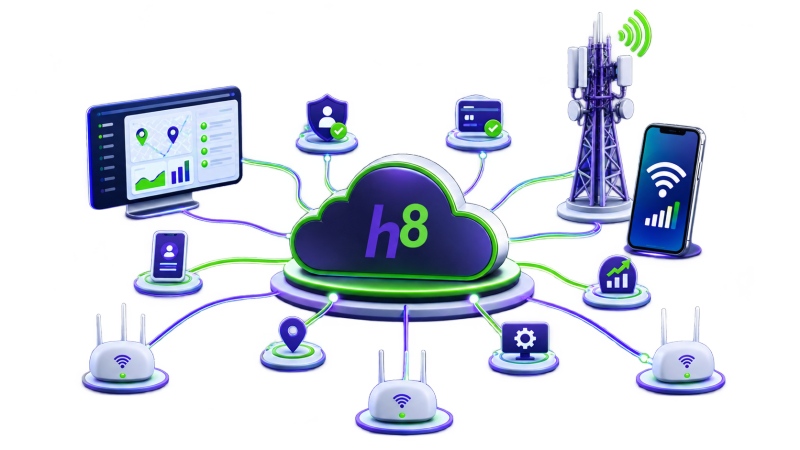
The platform brings authentication, billing, captive portal, location-specific services, subscriber analytics and mobile-core integration into one carrier-grade platform. It is vendor-agnostic and cloud-based, with centralized management, so operators can work with the access infrastructure they already have. Remote troubleshooting helps operators find and fix failing hotspots before customers notice.
In the BSNL/QuadGen deployment, hotspot-wise plans, including free plans, could be shown or hidden location by location.
To learn how H8 Carrier Wi-Fi fits your network, visit the H8 Carrier Wi-Fi solution page or request a demo.
Pick your five busiest cells. For each one, ask two questions. Is there trusted Wi-Fi nearby? Can users join it without typing anything?
If the answer is no, you've found your first offload spot. If it's yes, but your billing team can't see that usage, you've found a leak.
Want a second pair of eyes on your setup? Write to us at info@height8tech.com, or read our Carrier Wi-Fi solution page.
1. What is Wi-Fi offload?
Ans. Wi-fi offload means moving some of your mobile data usage from the mobile network to Wi-Fi. When your phone uses Wi-Fi instead of the mobile tower, the tower has less load. Mobile companies use it to give better speed in crowded places like railway stations, malls and airports.
2. How does Wi-Fi offload work?
Ans. Your phone looks for a trusted Wi-Fi network nearby. If it finds one and the mobile company's rules allow it, your data shifts to that Wi-Fi. When it is set up properly, you do not have to do anything. Your phone connects on its own.
3. How does Wi-Fi offload reduce network congestion?
Ans. Network congestion happens when too many people use the same tower at the same time. Then everyone gets slow speed. When some of these users move to Wi-Fi, the tower has fewer people to handle. So the users who stay on the mobile network also get better speed.
4. What is SIM-based login (EAP-SIM or EAP-AKA)?
Ans. It is a way to connect to Wi-Fi using your SIM card as your identity. EAP-SIM and EAP-AKA are just the technical names for it. Your phone proves who you are through the SIM, so the connection happens automatically.
5. Is Wi-Fi offload safe to use?
Ans. Public Wi-Fi can be easier to attack than a mobile network, so security is important. A good setup uses SIM-based login, so the network knows who is connecting. As a user, you should also be careful with open Wi-Fi that has no password.
